> ## Documentation Index
> Fetch the complete documentation index at: https://docs.trellistech.com/llms.txt
> Use this file to discover all available pages before exploring further.
# Task Anatomy
> Understand the information inside a task, from property context and assignment to checklists, approvals and completion.
[Resources](/resources/index) / Tasks & Workforce · 14:43 · English
## Written guide
Understand the information inside a task, from property context and assignment to checklists, approvals and completion.
**In this guide**
* [Task details and property context](#task-anatomy-task-details-and-property-context)
* [Assignment and scheduling](#task-anatomy-assignment-and-scheduling)
* [Checklists and resources](#task-anatomy-checklists-and-resources)
* [Waiting dates and blockers](#task-anatomy-waiting-dates-and-blockers)
* [Owner approvals and technician quotes](#task-anatomy-owner-approvals-and-technician-quotes)
* [Activity, comments and task links](#task-anatomy-activity-comments-and-task-links)
### Task details and property context
Video · 0:51
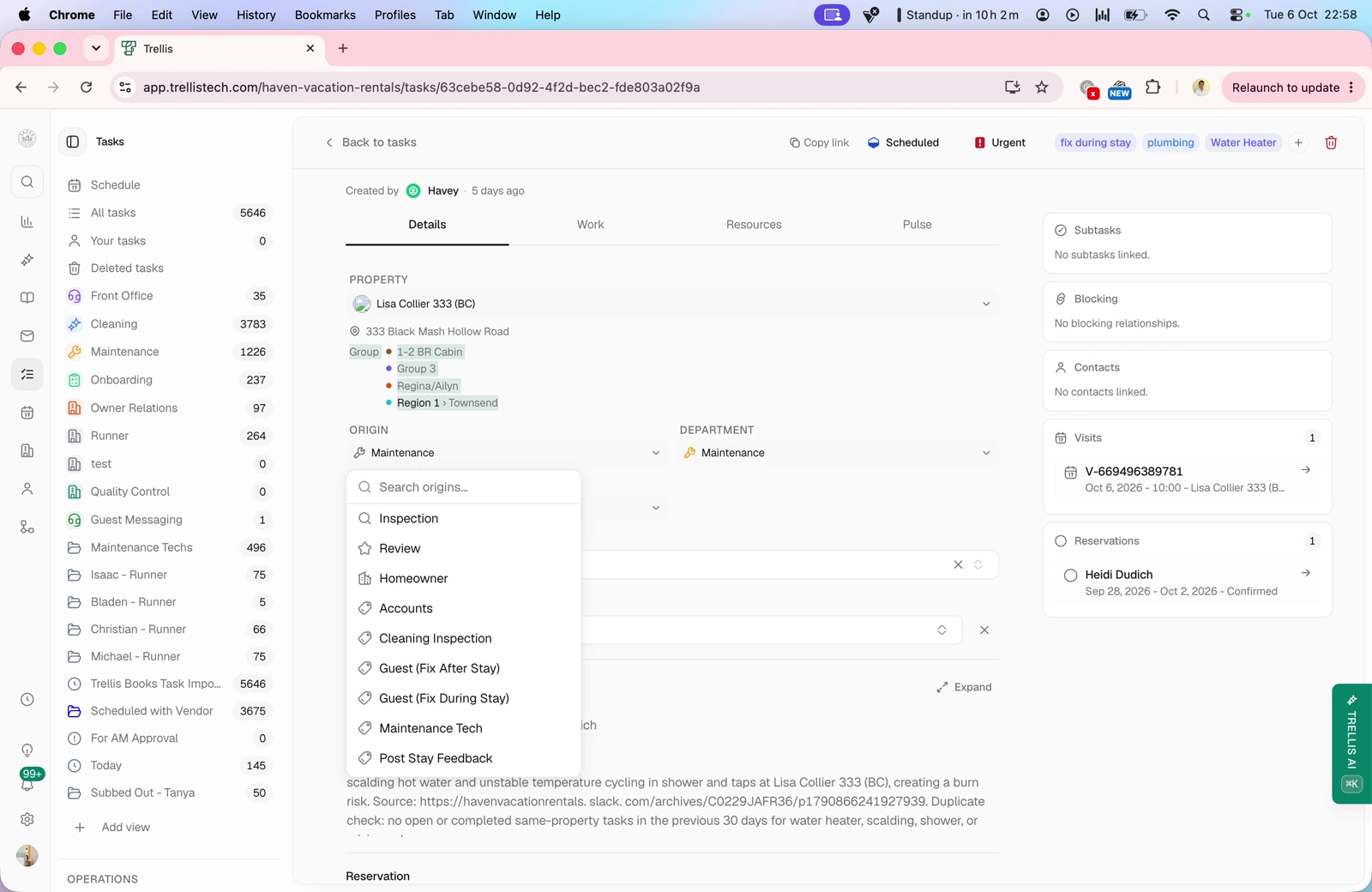
Review the title, creator, property, source, department and required skills. Link a property element or reservation and use the property’s issue history to understand recurring problems.
### Assignment and scheduling
Video · 3:44
Choose a team member or vendor, review shift availability, and set a date, time and estimated duration. The walkthrough shows attaching work to an upcoming visit or using the next available checkout.
### Checklists and resources
Video · 5:10
Use the Work tab to review checklist steps and completion photos. Keep attachments, supplies and costs in Resources so the person handling the task has the information they need.
### Waiting dates and blockers
Video · 7:44
Keep a task pending until a chosen date or link another task as a blocker. The example explains why installing a replacement must wait until the item has been purchased.
### Owner approvals and technician quotes
Video · 12:20
Choose whether one or all recipients must approve. Share an owner approval request, request a technician quote, review cost and availability, negotiate a counteroffer and schedule the accepted work.
### Activity, comments and task links
Video · 13:59
Use Posts to review activity and mention teammates in comments. Share a task link so an external technician can see the relevant instructions and attachments, add comments and mark the task complete.
This documentation is built and hosted on [Mintlify](https://mintlify.com), a developer documentation platform.
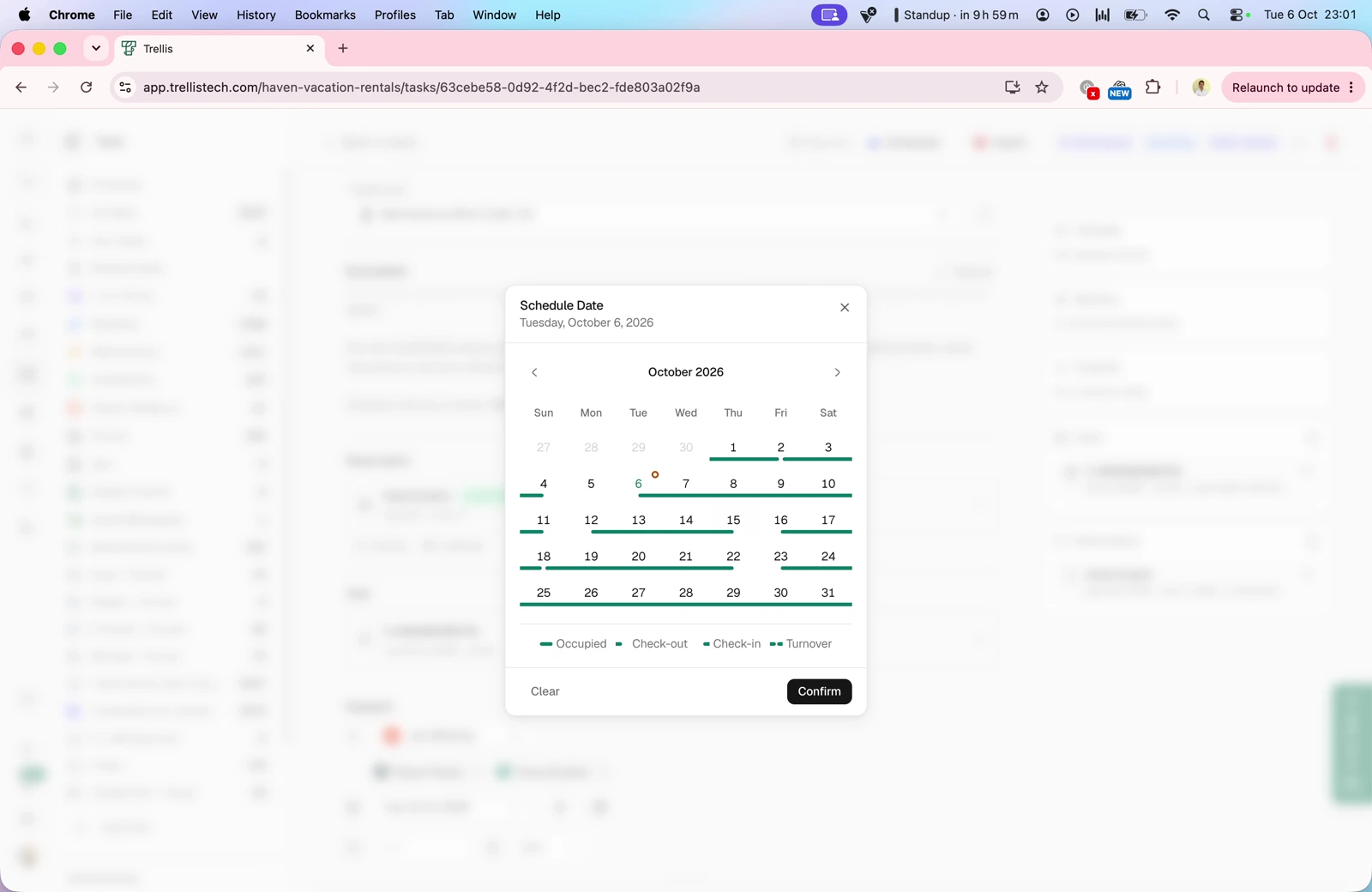 Choose a team member or vendor, review shift availability, and set a date, time and estimated duration. The walkthrough shows attaching work to an upcoming visit or using the next available checkout.
### Checklists and resources
Video · 5:10
Choose a team member or vendor, review shift availability, and set a date, time and estimated duration. The walkthrough shows attaching work to an upcoming visit or using the next available checkout.
### Checklists and resources
Video · 5:10
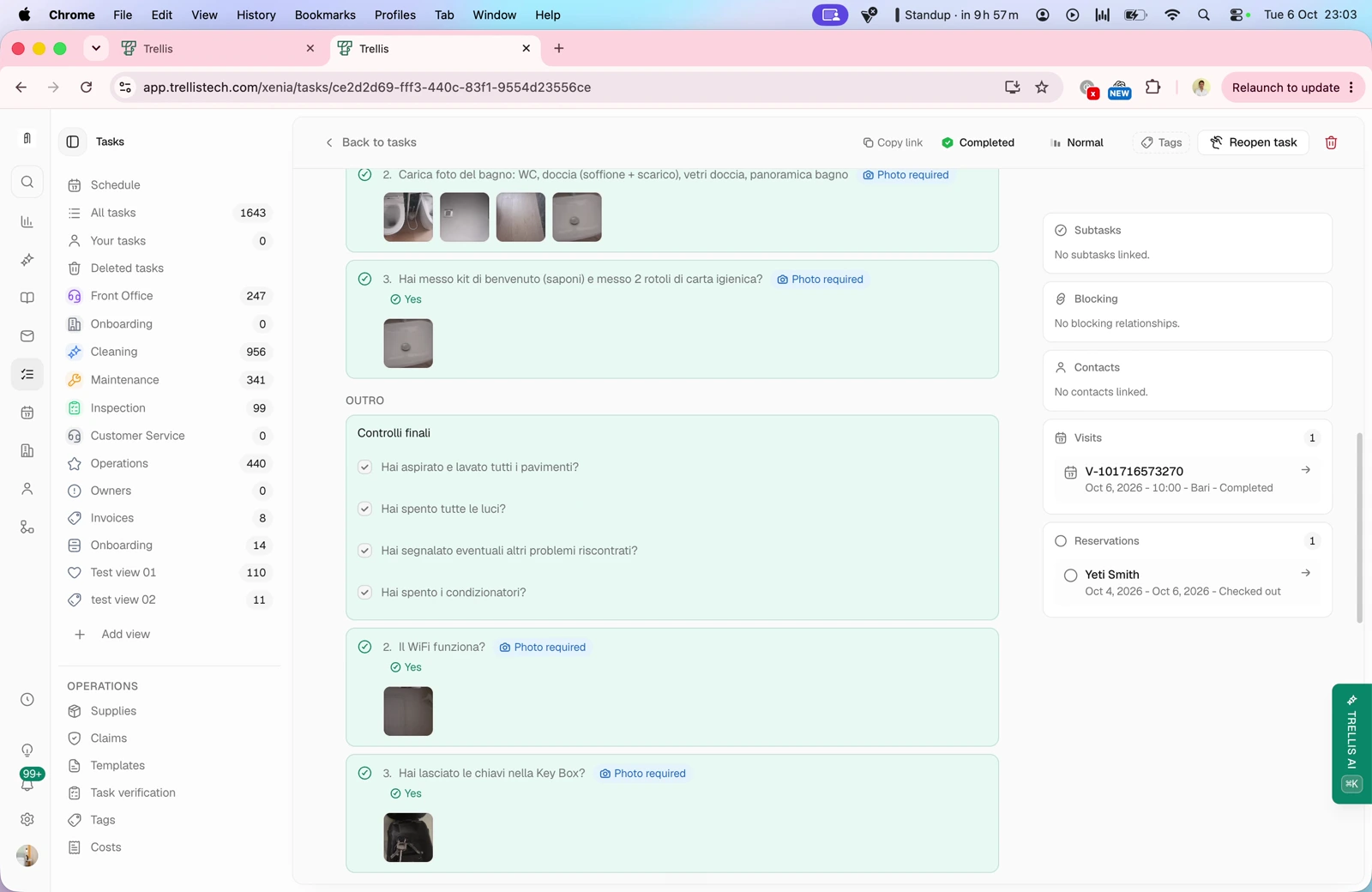 Use the Work tab to review checklist steps and completion photos. Keep attachments, supplies and costs in Resources so the person handling the task has the information they need.
### Waiting dates and blockers
Video · 7:44
Use the Work tab to review checklist steps and completion photos. Keep attachments, supplies and costs in Resources so the person handling the task has the information they need.
### Waiting dates and blockers
Video · 7:44
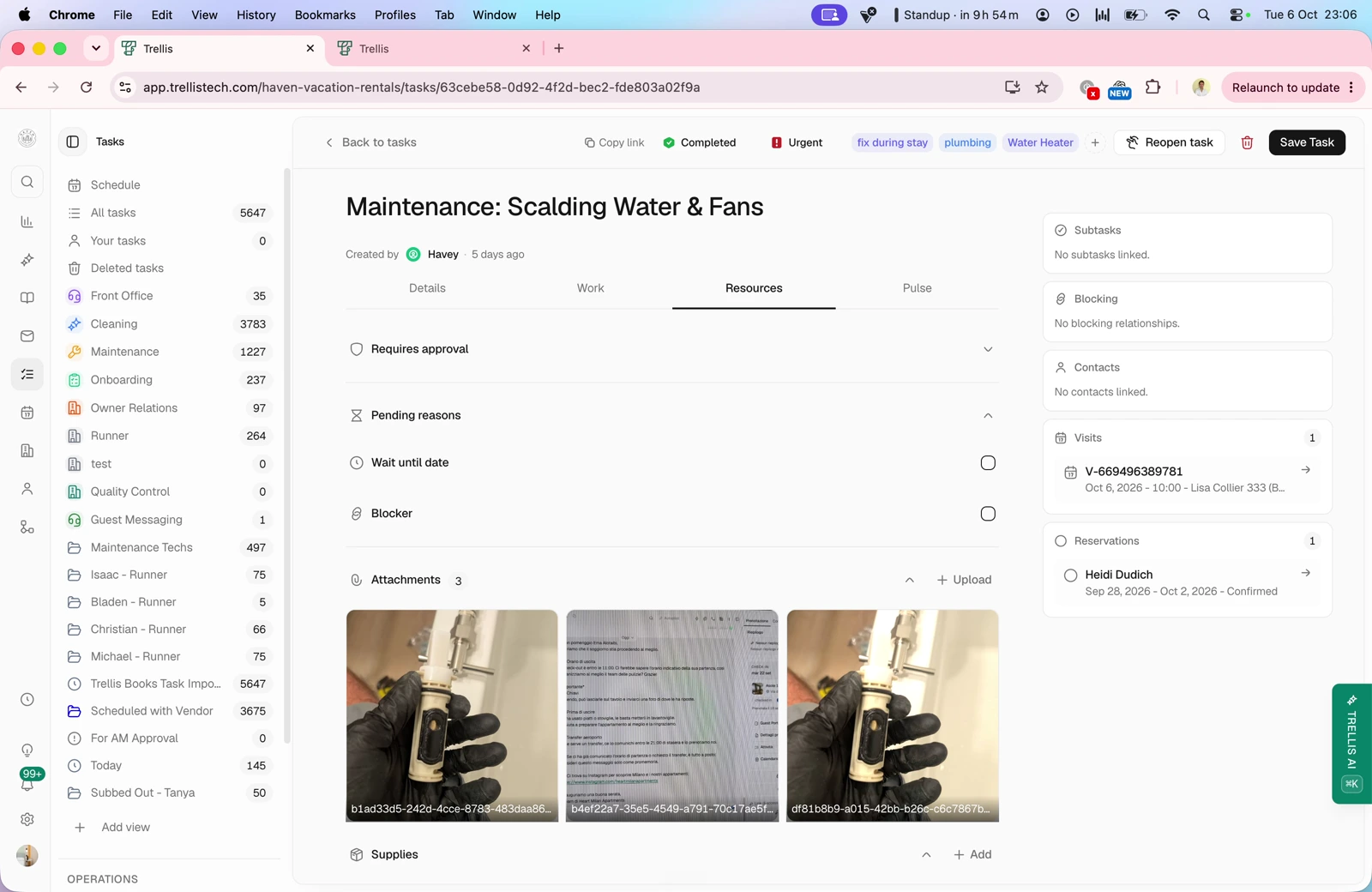 Keep a task pending until a chosen date or link another task as a blocker. The example explains why installing a replacement must wait until the item has been purchased.
### Owner approvals and technician quotes
Video · 12:20
Keep a task pending until a chosen date or link another task as a blocker. The example explains why installing a replacement must wait until the item has been purchased.
### Owner approvals and technician quotes
Video · 12:20
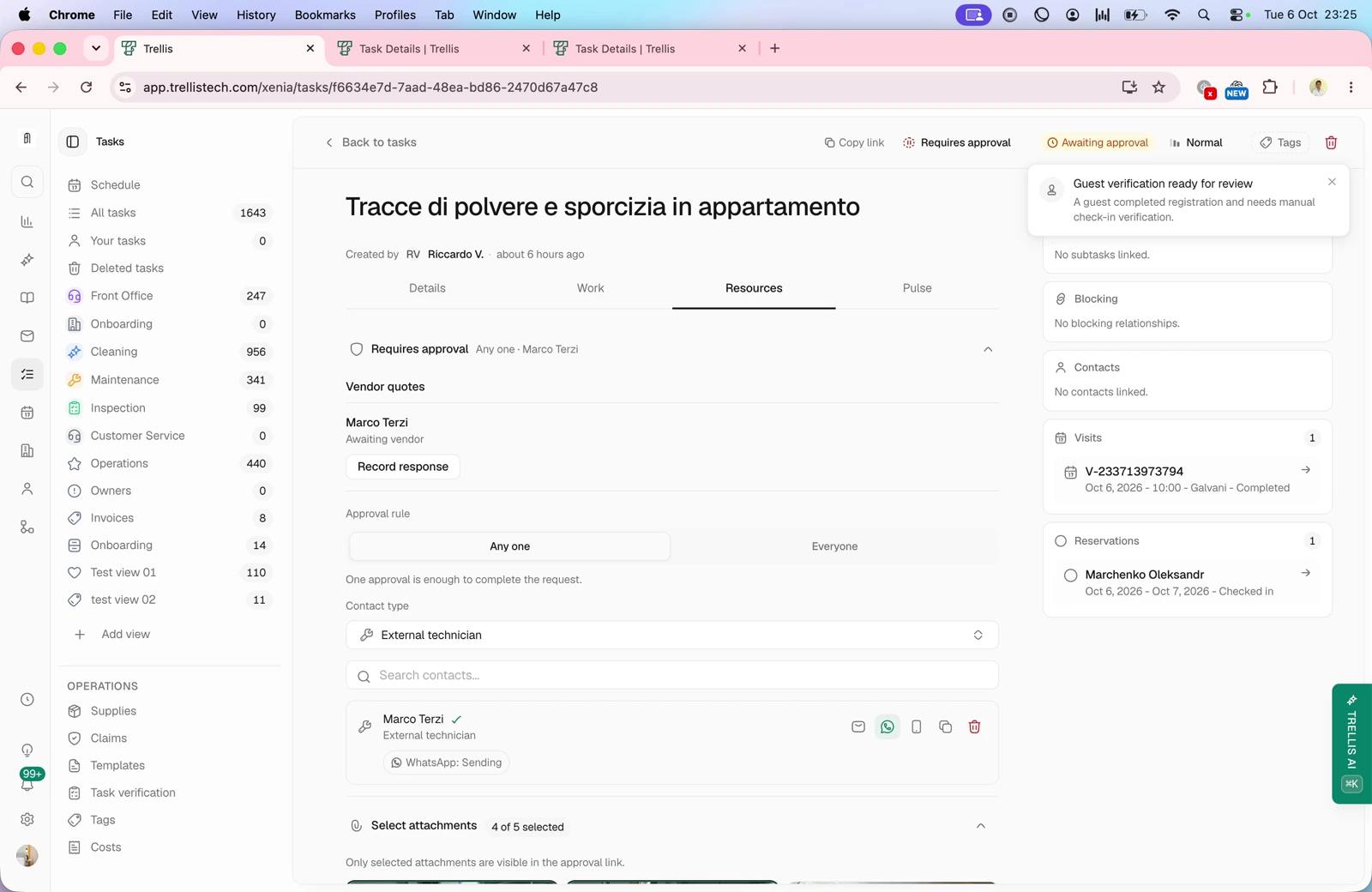 Choose whether one or all recipients must approve. Share an owner approval request, request a technician quote, review cost and availability, negotiate a counteroffer and schedule the accepted work.
### Activity, comments and task links
Video · 13:59
Choose whether one or all recipients must approve. Share an owner approval request, request a technician quote, review cost and availability, negotiate a counteroffer and schedule the accepted work.
### Activity, comments and task links
Video · 13:59
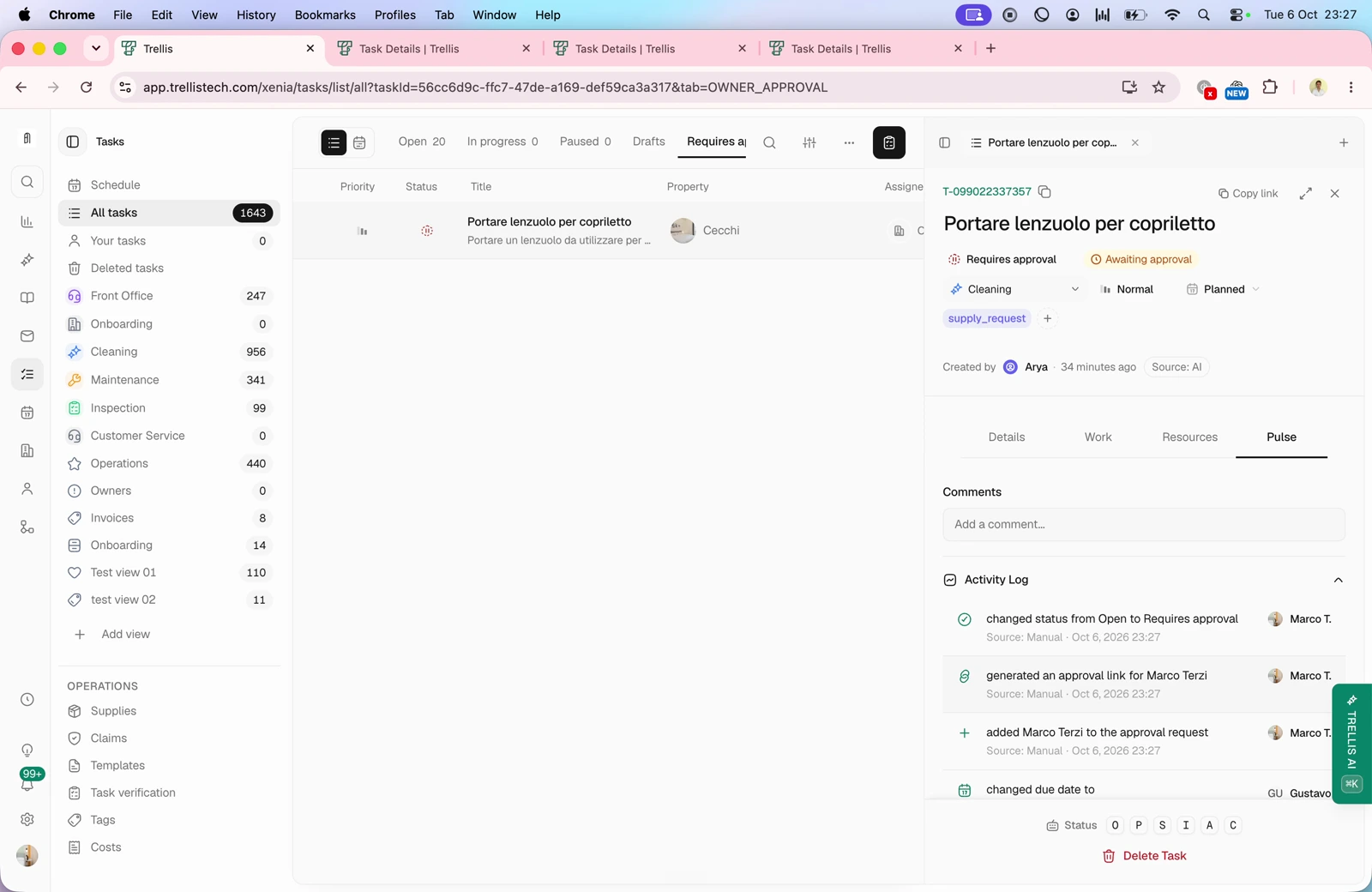 Use Posts to review activity and mention teammates in comments. Share a task link so an external technician can see the relevant instructions and attachments, add comments and mark the task complete.
This documentation is built and hosted on [Mintlify](https://mintlify.com), a developer documentation platform.
Use Posts to review activity and mention teammates in comments. Share a task link so an external technician can see the relevant instructions and attachments, add comments and mark the task complete.
This documentation is built and hosted on [Mintlify](https://mintlify.com), a developer documentation platform.