
Before you start
Confirm the number your team intends to use and have a team-controlled phone available. An administrator should review number setup and incoming-call routing.Connect and test
Review your numbers
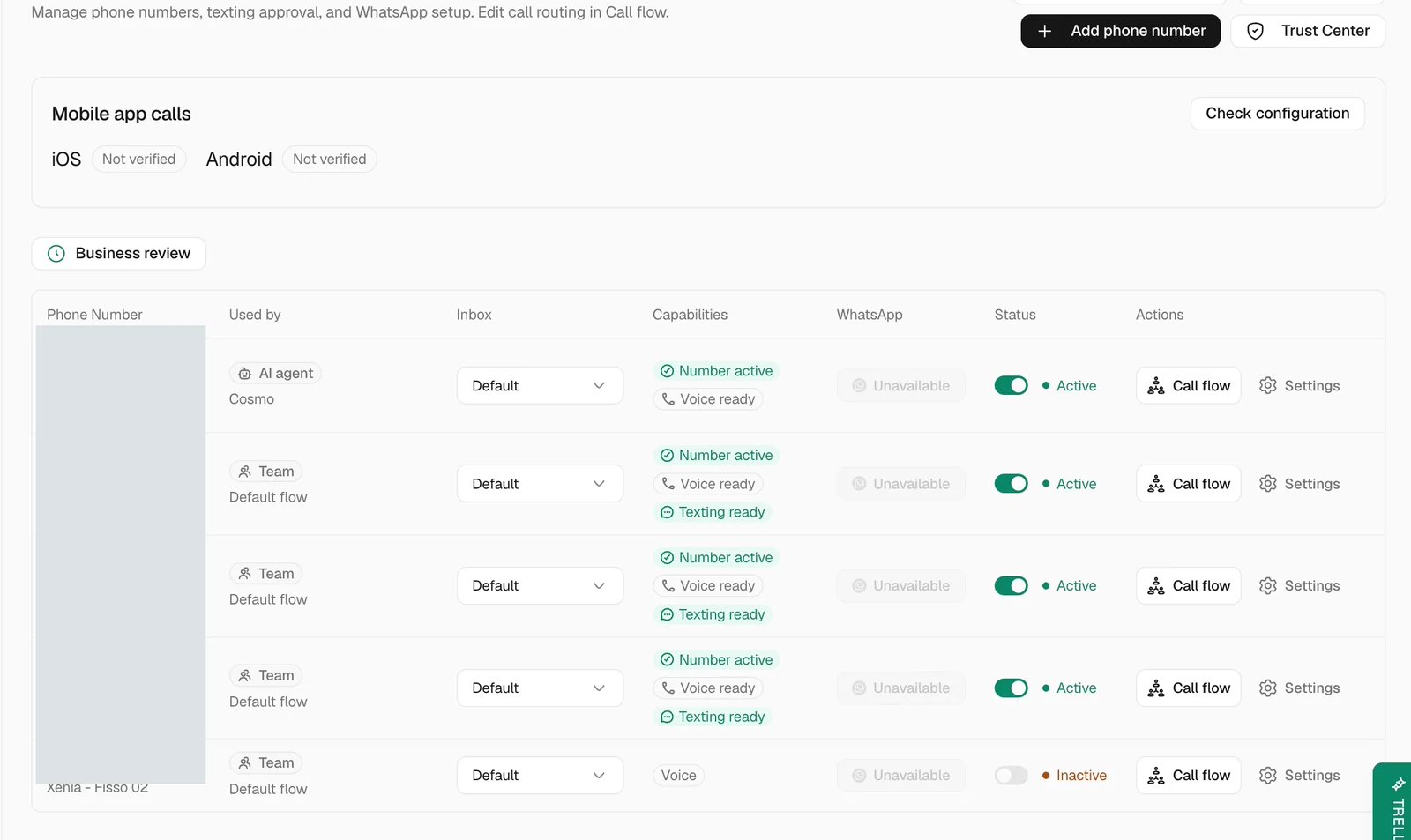
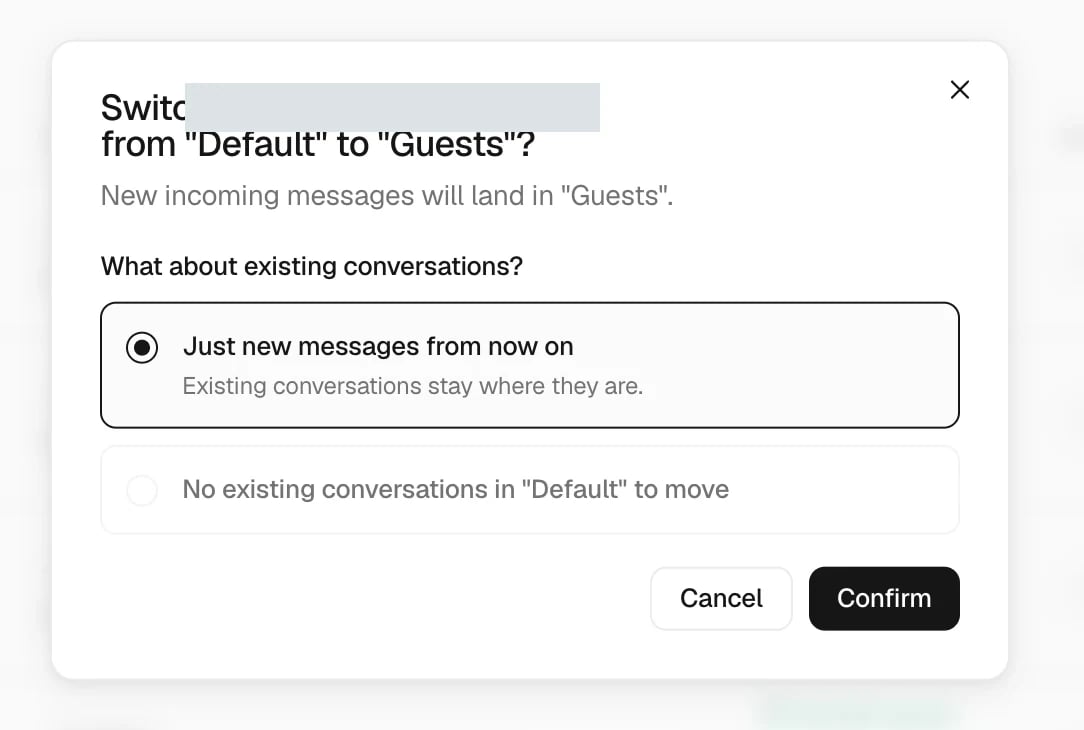
Choose where new contacts arrive
Check incoming calls
Open the line’s Call flow to review who should ring and what happens if no one answers. Save and publish the intended flow when it is ready. Each teammate who should receive calls also needs the relevant access and their personal incoming-call preference enabled; see Settings. Call the line from the test phone. Confirm that the intended team receives it and that the call appears in the call history. For an SMS-enabled line, send a short text and confirm it arrives in Inbox under the correct contact and number. Reply once from Trellis and check the result on the phone.Choose how phones ring
Open the phone number’s call flow and select the block that rings your team. Choose how the selected people receive incoming calls:- Ring everyone together starts every selected person’s phone at once.
- Ring one person at a time stops the previous attempt before calling the next person.
- Add people progressively keeps earlier phones ringing while adding the next person.
Set what the AI says on calls
When a call flow sends callers to the AI agent, the call flow can set the greeting and phone instructions the AI uses on those calls:- Open the phone number’s call flow and select the AI agent block.
- Under Greeting and phone instructions, write the greeting for the selected language and the instructions the AI follows on this flow’s calls.
- To adjust them for one menu option or caller group, select that route and fill in Greeting and instructions for this route.
- Publish the call flow.
Recover a disconnected number
Return to Settings > Phone numbers and read the line’s status or setup warning. Ask an administrator to resolve the indicated issue, then repeat the affected inbound test. Avoid repeated outbound attempts while the previous result is uncertain.Common problems
Texts work but calls do not
Texts work but calls do not
Check that the number supports voice, review the published call flow, and confirm the intended recipient has call access and incoming calls enabled.
The test conversation is missing
The test conversation is missing
Confirm the destination number, clear Inbox filters, and check No inbox. Review the line’s default Inbox if the message arrived under the wrong team.
The wrong number appears when sending
The wrong number appears when sending
Select the correct connected line in the composer or dialer before continuing. Review the line setup with an administrator if the intended number is unavailable.
Related articles
- Inbox — review messages and call history.
- Settings — incoming-call and notification preferences.
- Connect WhatsApp — configure WhatsApp calling separately.