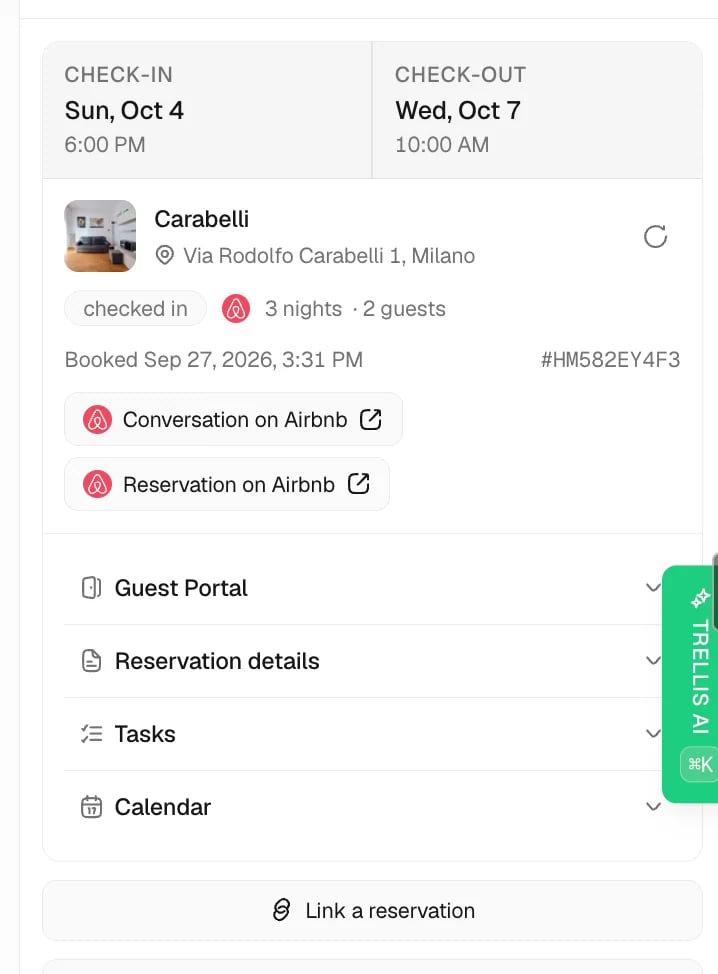
Use the reservation to confirm which stay a guest is asking about. Check the property, dates, and status before answering a question about arrival, access, an extension, or checkout.

Open the right stay

Check the reservation in Trellis
Open a conversation in Inbox and select its Reservation tab. If the guest has several stays, choose the relevant reservation before reviewing its details. A returning guest’s most recent message may concern a future booking rather than the stay currently selected. You can also find bookings from the property’s calendar. Match the guest and dates rather than relying on the contact name alone.

The status lifecycle

Read the status alongside the arrival and departure dates:
  • Inquiry: someone has asked about a stay; the booking is not confirmed.
  • Confirmed: an upcoming booking is in place.
  • Checked In / In Stay: the guest is currently staying.
  • Checked Out: the stay has ended.
  • Canceled: the booking was canceled before or during the stay.
Check the connected PMS if the status and dates disagree.

Linked records

The reservation connects the guest, property, and booking channel with the conversations and tasks for that stay. One guest can have several reservations, while each reservation refers to its own property and dates.
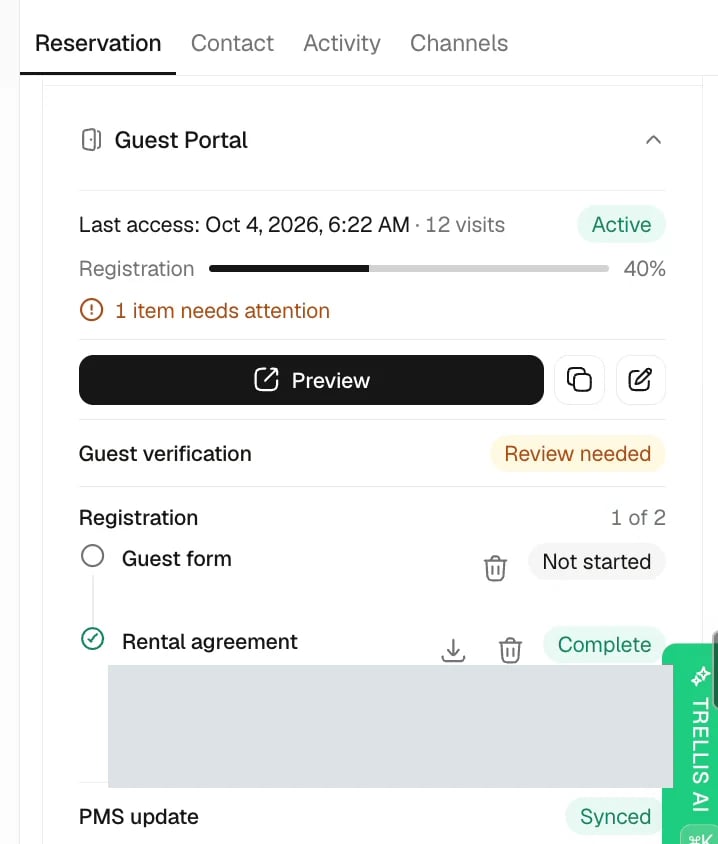
Review guest portal requirements in Trellis
Review the portal information for the selected stay when a guest needs their link or cannot see check-in details. A reservation can exist while registration, payment, or another portal requirement is still outstanding. See Guest portal for the access rules. Standard checkout cleanings also appear in the next arrival’s task list when the cleaning is scheduled between the two stays. This is the same task, with the same assignees, checklist, and completion status. Its original reservation link remains on the departing stay. The association follows reservation dates and cancellations automatically, including when there are vacant days between stays. Cancelled cleanings and overlapping arrivals are excluded. For a property’s first reservation, the task list also shows existing unlinked cleanings on the latest scheduled cleaning date on or before check-in. These can be regular tasks in the Cleaning department or standard automated cleanings. An existing preparation cleaning linked directly to the reservation takes precedence over these standalone cleanings. Older cleaning dates, issues, subtasks, inspections, and tasks linked to another reservation are excluded. If arrivals overlap, no association is inferred. This does not create a cleaning or change the task’s reservation link.

What your PMS owns versus Trellis

For a synced booking, the PMS supplies booking facts such as dates, status, and guest details. Trellis adds the conversations, tasks, notes, and operational work around the stay. Use your integration’s supported edit controls when it allows a reservation change from Trellis, then confirm that the update reached the PMS. Otherwise, correct the booking in the PMS and let it sync. Supported actions differ by provider; for example, Guesty supports some edits to existing reservations. Do not assume that every field is editable for every integration. If an AI reply used the wrong information, first identify whether the error came from the booking, property, or written knowledge. Follow Fix wrong AI information to correct the source.

Block dates on connected booking channels

Administrators and managers can block and unblock dates by default. A custom role or workspace override can restrict this through reservation edit and delete permissions. For properties whose availability is managed through Trellis’s channel connection, ask the AI Agent to block dates and name the property. Include the year and departure date: “Block November 10–13, 2026 for Apartment 4 for maintenance” closes the nights of November 10, 11, and 12. November 13 remains outside that block. If the start date has already passed, only current and future nights can be updated. Trellis saves the block and checks that the connected calendar reflects it. When Airbnb is connected, it also checks the mapped listing. A saved local block alone is not confirmation that Airbnb has closed the dates. If the connection is inactive, restore it in Settings > Integrations. If confirmation is pending, retry the same property and dates to check delivery; this does not create a second block. Ask the AI Agent to unblock the same property and date range to remove a Trellis block. Existing reservations, other overlapping blocks, and separately closed availability remain in place. The property must have an active connection that allows updates and a complete room mapping.

Check the result

After a sync or supported change, reopen the reservation and compare the guest, property, dates, and status with the PMS. For a calendar block, check the connected channel’s confirmation as well as the local calendar.